
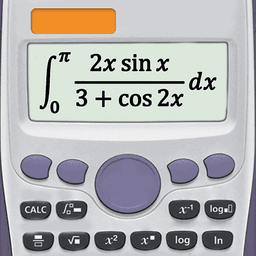
Screenshots
About Scientific calculator plus advanced 991 calc
Master the scientific calculator plus advanced 991 calc — the all-in-one computing solution built for students, engineers, and anyone tackling complex mathematics. Whether you're solving equations in class or working through calculus on a deadline, this app combines five powerful calculators in a single, intuitive interface that mirrors real-world calculator layouts you already know.
You get everything from basic arithmetic to advanced scientific functions without switching apps. The basic and intermediate calculators handle percentages, powers, roots, trigonometric functions, and logarithms, while fraction support lets you convert between formats and solve fraction problems instantly. Need more? The advanced calculator 115 plus integrates linear algebra, calculus, complex numbers, matrices, and vectors—displaying results in both rectangular and polar coordinates for maximum flexibility.
The scientific calculator 991 plus is where real power emerges. Its smart equation solver tackles quadratic, cubic, and polynomial equations, plus entire systems of equations. Calculate derivatives, integrals, factorials, and prime factors with ease. Work with unlimited digit precision, generate random numbers, and compute combinations, permutations, GCD, and LCM. The built-in computer algebra system (CAS) performs symbolic calculations that textbook problems demand.
Visual learners will appreciate the graphing calculator 84 plus, which draws function graphs, polar curves, parametric equations, and implicit functions. Trace derivatives, find roots and extrema, and draw tangent lines directly on your graph—functionality that mirrors professional graphing calculators used in advanced courses.
Beyond raw calculation, you'll find integrated math and physics formulas, unit conversion tools, and customizable themes and fonts to match your style. Programming features let you automate repetitive calculations, saving time on problem sets and projects.
Every feature is designed around how you actually study and work. The keyboard layout mirrors industry-standard calculator designs, so your muscle memory transfers instantly. Whether you're checking homework, preparing for exams, or engineering real solutions, Scientific calculator plus advanced 991 calc delivers professional-grade mathematics in your pocket.
Pros & Cons
Pros
- Five integrated calculators eliminate need to switch between multiple apps
- Advanced equation solver handles quadratic, cubic, polynomial, and system equations
- Graphing calculator visualizes functions, polar curves, and parametric equations
- Computer algebra system performs symbolic calculations for advanced mathematics
Cons
- Steep learning curve for users unfamiliar with scientific calculator interfaces
- Feature-heavy design may overwhelm students new to advanced mathematics
- No mention of offline functionality for all features or data persistence
- Programming automation features require knowledge of calculator scripting syntax
Related Apps

HWiNFO
Hardware monitoring for Windows—track CPU temp, GPU load, fan speed, voltage in real time.

TransMac
Read Mac drives and DMG files on Windows. Access APFS/HFS+ storage and create disk images.

Advanced SystemCare Free
System optimization tool: clean, repair, and secure your PC. Remove malware, fix errors, and boost performance.

Display Driver Uninstaller (DDU)
Driver uninstaller for GPU and audio — removes residual files for clean Windows updates

Glary Utilities
PC maintenance and optimization suite — clean, repair, and speed up your Windows computer in one action.

Universal ADB Drivers
ADB drivers for Android: Connect any smartphone to Windows PC without manufacturer software.
Latest Articles
Best Primark alternatives in 2026 for affordable UK fashion (7 picks)
Jul 12, 2026

Best RingGo alternatives in 2026 (we tested 7)
Jul 12, 2026

7 best Anki alternatives for desktop in 2026 (we tested every one)
Jul 11, 2026

7 best AppFlowy alternatives for desktop in 2026 (self-hosted included)
Jul 11, 2026

Best AI admin task automation apps for desktop in 2026 (we tested 7)
Jul 11, 2026